When requested to send (upload) a file by email, please follow the steps below to upload the file.
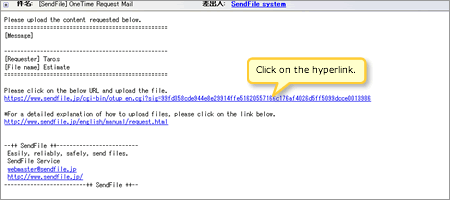
Click on the hyperlink in the email sent to you. The Upload screen will open.
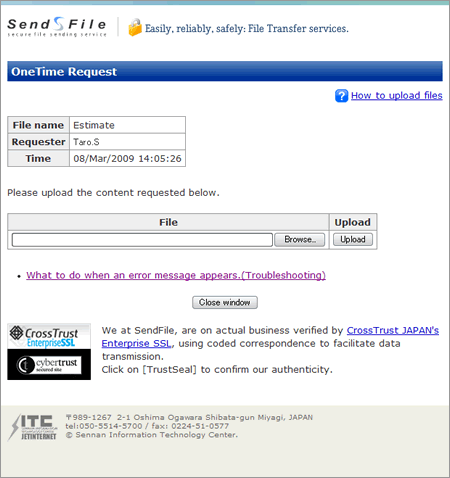
The 'One Time Upload' screen will appear, please enter the information as follows.
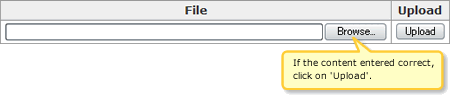
Click on Browse to select the file you where requested to upload.
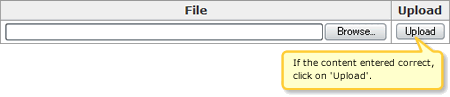
When you have finished click on the Upload button.
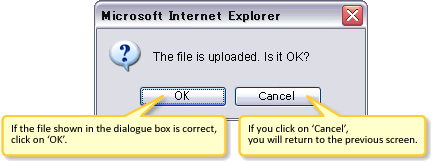
The Confirmation dialogue will appear, if you are sure the content you want to upload is free from error, click on 'OK'.
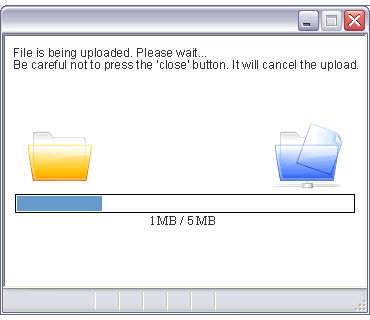
The 'File is being uploaded' screen will appear. When the file has finished uploading the file upload dialogue box will automatically close. Be careful not to press the 'close' button. It will cancel the upload.
When the 'Congratulations! Your file has been successfully uploaded. Thank you for using our service.' screen appears, your file has been successfully uploaded. The person who sent the request (SendFile member) will automatically receive an email with a link to the uploaded file.
SendFile is a registered trademark of JETINTERNET Co.Ltd.